AlpinE is becoming the workstation we wanted to sit down and use. The desktop has its own visual character, a compact music player, a package manager and a control panel that brings everyday settings closer together.
These are native EFL applications built around Enlightenment and Alpine’s existing services. The aim is straightforward: make common tasks easy to find, keep the desktop responsive, and let people understand what will happen before they apply a change. The source is public, and signed APKs connect the projects to the AlpinE 3.24 workstation.
A desktop with some character
The BlackKnight E Theme project sets the visual direction, including original Storm and Still wallpapers. The theme work also prompted a practical rule for the applications: ordinary controls should follow the active desktop theme, while specialized displays—such as the music player’s LCD-style readout—can have their own identity.
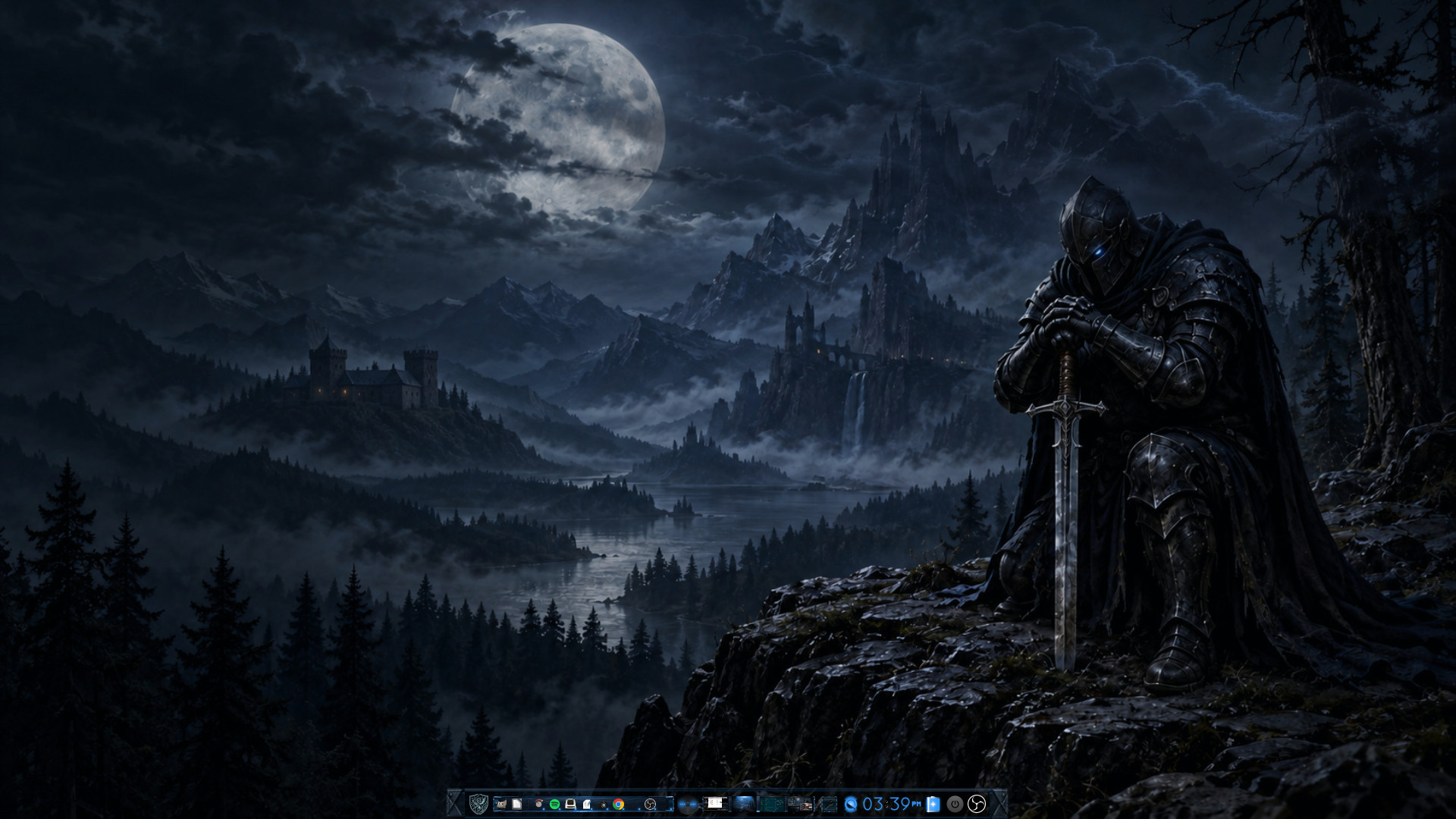
The signed wallpaper package contains the original backgrounds. The full Sci-Fi donor-derived desktop theme remains outside the public binary package while its redistribution terms and notices are verified. The newer frosted-glass experiments are still design work, not an additional shipped desktop theme.
E-Jamz: a little stereo rack
E-Jamz draws from the compact controls and rack layout of XMMS and Winamp. The player, playlist and equalizer stay close together, with optional sections and a settings drawer. Its blue-metal skin and dot-style display make it feel like a small stereo system on the desktop.
GStreamer and the decoding libraries handle playback. The UI handles the part we interact with: files and folders, playlists, search, artist/album filtering, EQ controls and presets. The updated package carries the accepted rack, transparency and playlist-browser fixes made since the original APK.
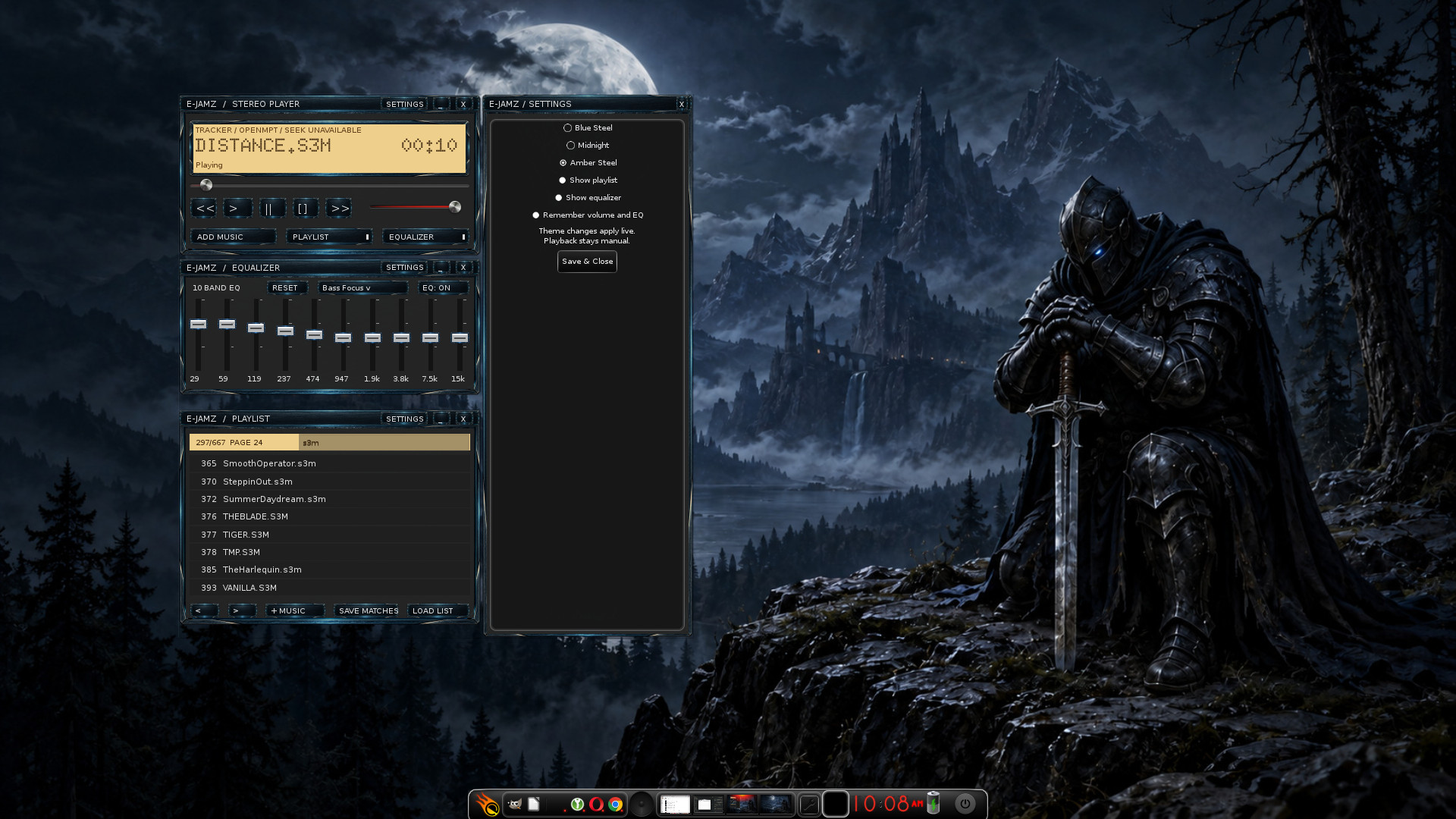
It remains a working beta. Streaming channels and the more ambitious DJ-style ideas are future work, rather than promises hidden behind inactive controls.
Enaptic: see the change before making it
Enaptic uses Synaptic’s recognizable package-list and queued-change approach in a native EFL interface. Search, filters and multiple selection help with browsing; marking a package records intent, and Preview Changes shows what the package backend resolves.
APK retains responsibility for dependencies, signatures and installation. Flatpak now has its own install, upgrade and removal flow, including runtime dependencies and a review of commits and sandbox metadata changes. APK and Flatpak transactions are reviewed separately, as are user and system Flatpak installations. Apply resolves again and rejects a changed review.
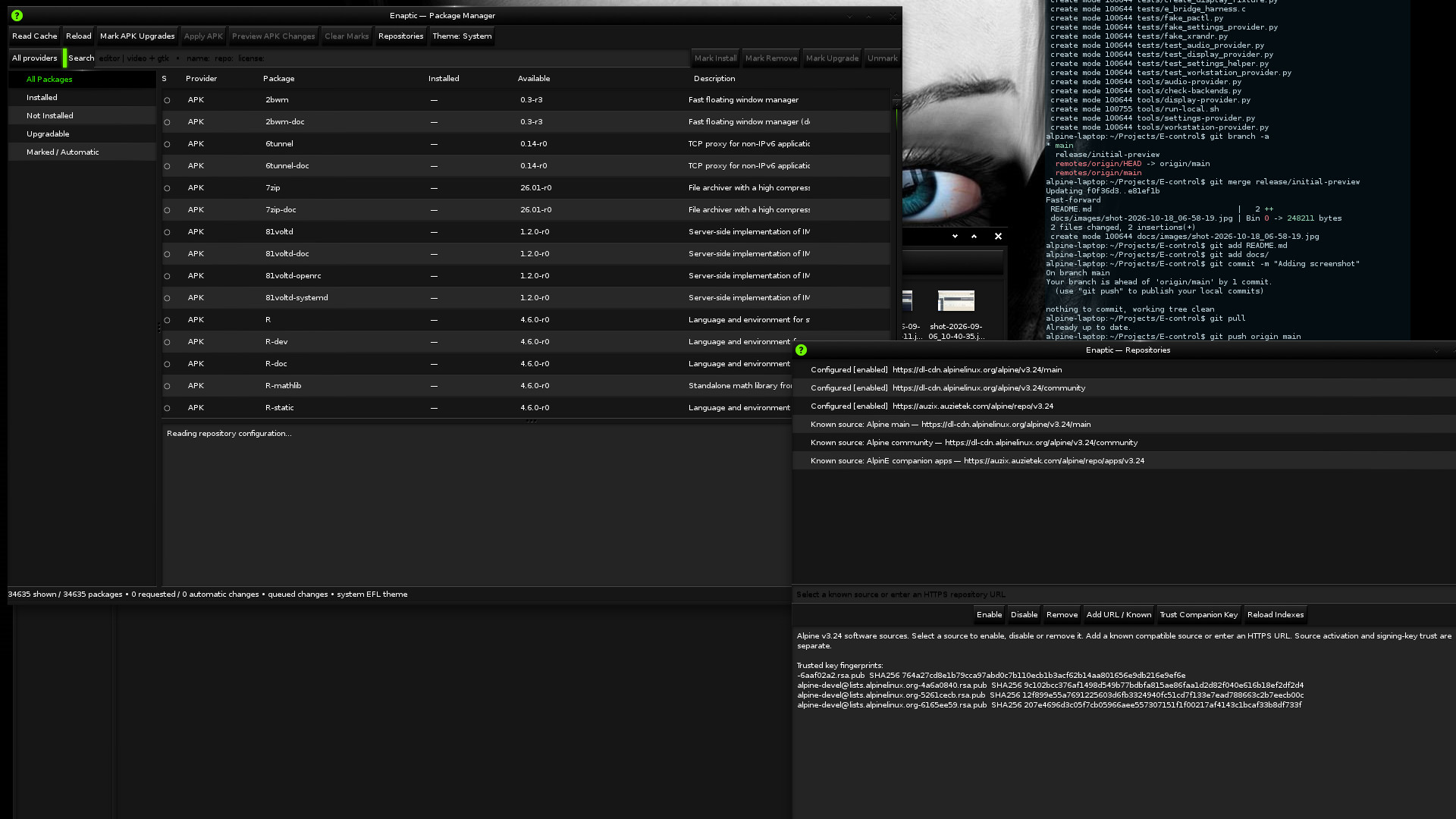
Reload fetches current repository metadata; Read Cache just rereads it. Neither installs updates. Repository configuration and signing-key trust remain separate actions, and privileged operations use the system’s authentication mechanism.
E-control: a workstation’s settings in one place
E-control brings a sidebar and focused forms to the settings people use regularly: sound, monitors, wired and wireless connections, Bluetooth, accounts, printers and services. Storage shows disk usage and volumes, while System gives a readable workstation report.
The panel connects to the existing services—NetworkManager, BlueZ, CUPS, firewalld, OpenRC and the audio server—and reuses Enlightenment’s own settings plumbing. Theme and wallpaper selectors are embedded in Appearance, with deeper E settings still available through their native dialogs. Monitor changes have a timed confirmation step so an unusable layout can revert.
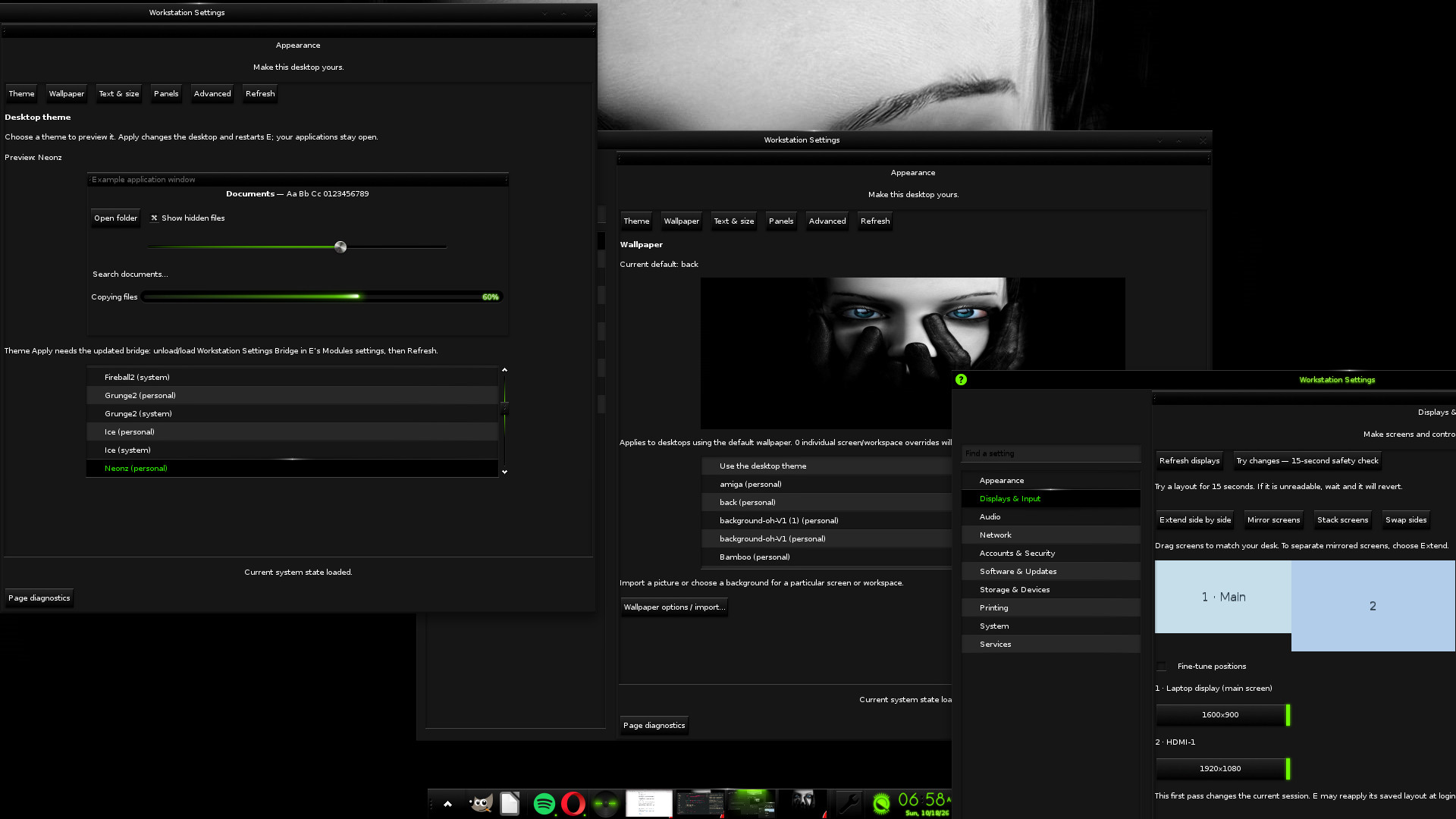
This is an initial preview. The appearance bridge must match the running E version and be enabled; an older user-installed module may need to be unloaded and replaced with the packaged one. Advanced network configuration still has companion-tool handoffs, and some specialist settings remain future work. The current desktop and display controls target X11.
Signed packages, public source
The companion feed now contains:
| Package | Version |
|---|---|
| Enaptic | 0.2.0-r0 |
| E-control | 0.1.0-r0 |
| E-Jamz | 0.1.1-r0 |
| BlackKnight wallpapers | 0.1.0-r0 |
Start with the repository and signing-key instructions. With the matching AlpinE 3.24 repositories configured and the companion key verified:
sudo apk update
sudo apk add enaptic e-control ejamz blackknight-wallpapers
The feed keeps its existing signing identity. Package installation does not choose your wallpaper, enable the firewall or apply workstation settings. Enaptic’s native APK bridge is tied to APK 3.0.8, and E-control’s packaged appearance bridge targets Enlightenment 0.27.1; their package dependencies record those constraints.
The release checks distinguish building from running: native compilation and unit tests, disposable transaction tests, package signature checks, a clean Alpine installation and public-feed verification. They do not establish every operation on every device. The project READMEs describe the current limits and provide places to report issues.
Original application code uses GPLv3 terms, with Enaptic’s separate APK bridge under GPLv2 and the original artwork under CC BY-SA 4.0. Fonts and other components retain their own notices; each repository documents the exact licensing.
Explore the AlpinE source, browse the signed packages, or watch the AlpinE’ifyd walkthrough. The next steps are more polish, fuller native configuration flows and testing on more workstations. These everyday tools give us something concrete to improve.